Give the project a memory.
Keep context and decisions in readable project files. Review the instructions your agents work from, instead of leaving them scattered across conversations.
Bring your project context, Claude and Codex sessions, and change review into one desktop workspace.
Not released yet. Register to hear when it ships.
A project is more than its latest prompt. Keep the decisions, instructions and activity around the code close to the work itself.

Keep context and decisions in readable project files. Review the instructions your agents work from, instead of leaving them scattered across conversations.
Work with Claude and Codex in project sessions. Keep their activity alongside the files and context that give it meaning.
Inspect changed files and individual hunks. Mark what you have reviewed and flag what needs attention as you work through the result.
Your judgement is still part of the process. Review marks record your reading; they do not revert files or certify the work.
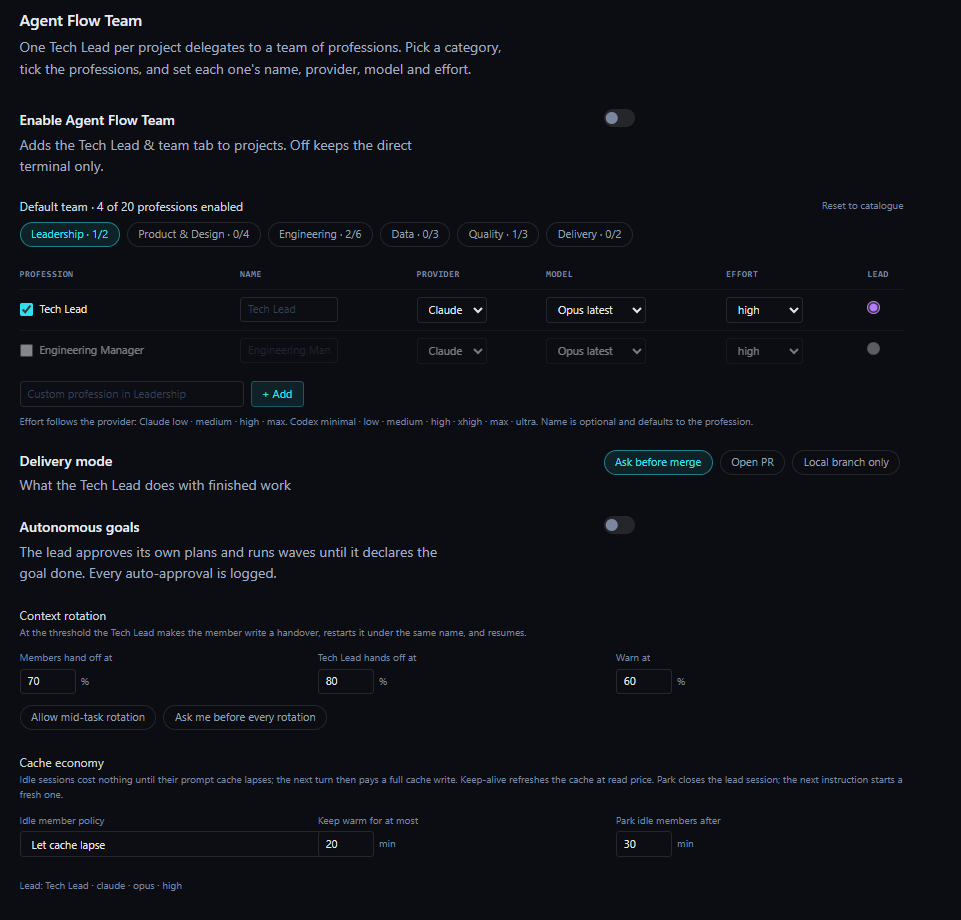
Agent Teams · Premium
One Tech Lead coordinates a team built around your project. Choose the professions, give each member the right model, and keep delegation and review together.
Choose from 20 professions across leadership, design, engineering, data, quality and delivery. Set each member’s provider, model and effort.
The Tech Lead plans and delegates tasks, then calls on a reviewer to check the finished work.
Ask before merge, open a pull request, or keep the work on a local branch. Set the delivery mode for your team.
Agent Teams is included in Premium. AI-provider costs are separate.
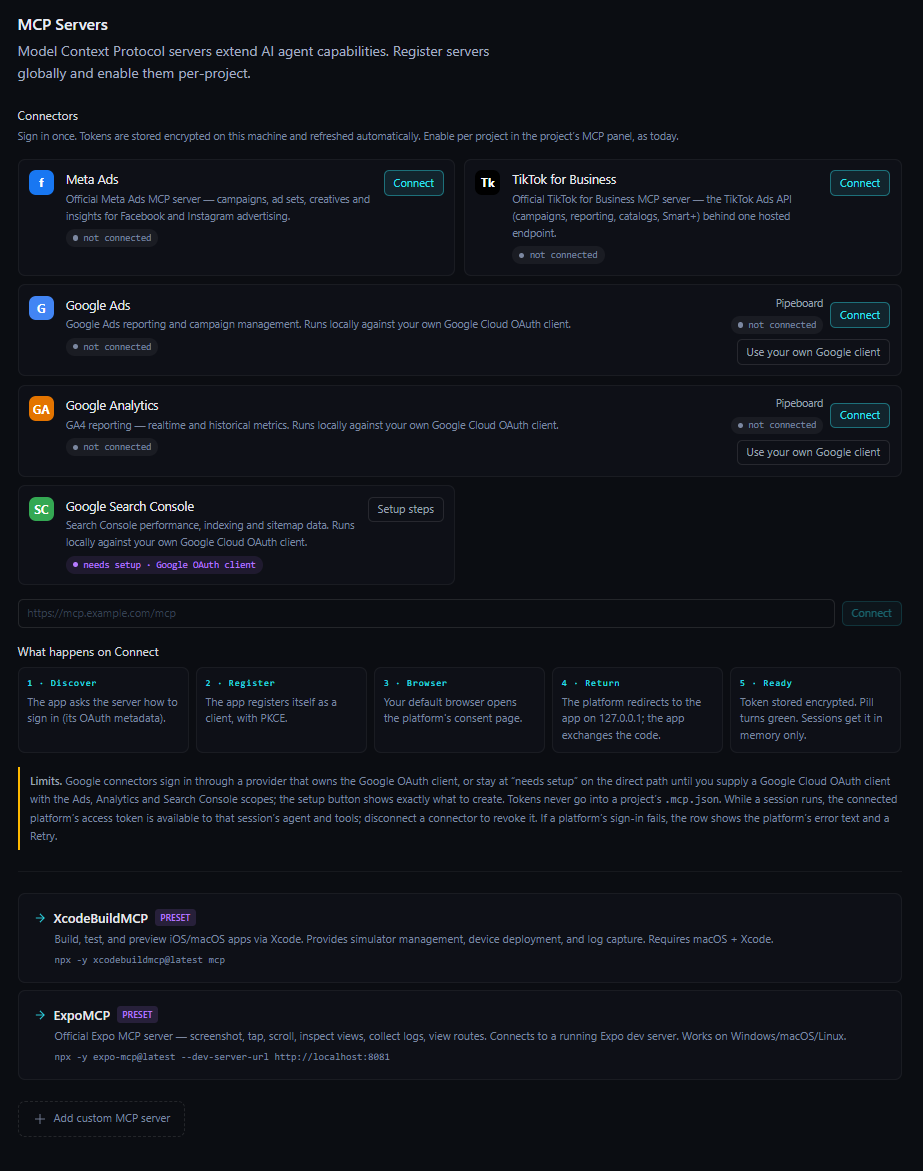
Marketing MCP · Premium
Give your agents access to marketing tools through Model Context Protocol connectors. Register connections in Agent Flow, then enable the tools each project needs.
Google Ads and Analytics offer a Pipeboard connection or your own Google client. Search Console requires your own Google client. Account access and setup requirements vary by connector.
Explore PremiumMarketing MCP is included in Premium. AI-provider and third-party service costs are separate.
Choose the session’s autonomy, understand its permissions, and keep the evidence close when it is time to review.
Move between discussion, planning, review and implementation. Autopilot adds turn, spend and changed-file budgets, checked between turns.
Inspect the active mode and its provider-specific restrictions from the session. Claude and Codex apply controls differently; the permissions view explains the distinction.
Inspect changed files and individual hunks. Mark what you have reviewed and flag what needs attention before deciding how the work should proceed.
Core for the everyday development workspace. Premium when you want Agent Teams and Marketing MCP alongside it.
Project context, Claude and Codex sessions, and the tools to follow and review your work.
See Core pricingThe Core workspace, with Agent Teams and Marketing MCP for a broader workflow.
See Premium pricingYour Agent Flow plan and your AI-provider subscription or API usage are separate costs.
A desktop workspace for AI-assisted development. It brings project context, Claude and Codex sessions, activity and change review together around your project.
No. Agent Flow provides the workspace. Your AI-provider subscription and any API usage remain separate. The pricing page explains the distinction.
The offer includes seven days of Premium, with no card required. An Agent Flow account is required for desktop use, including the trial. View the plan and trial details.
Agent Flow grew out of the unnecessary work around AI tools. Conceived by the founder and development team at Globasoft, drawing on more than 25 years in technology.
Agent Flow has not been released yet. Leave your details and we will tell you the moment it is available.